
Accounts and sign-in
InvenDo keeps your lists in the cloud, under your account. That’s what makes them appear on every device you sign in on, lets you share them with your family, and keeps them safe if your phone doesn’t survive the washing machine. On Android you can also start without an account and add one later.
Your options on the sign-in screen
Section titled “Your options on the sign-in screen”- Sign in with Google — on every device.
- Sign in with Apple — on iPhone and iPad, and in the browser.
- Proceed without Account — Android only. The first time you tap it, InvenDo explains what you’d be missing (Backed up in the cloud, On every device, Share your lists); tap Continue without an account to go ahead.
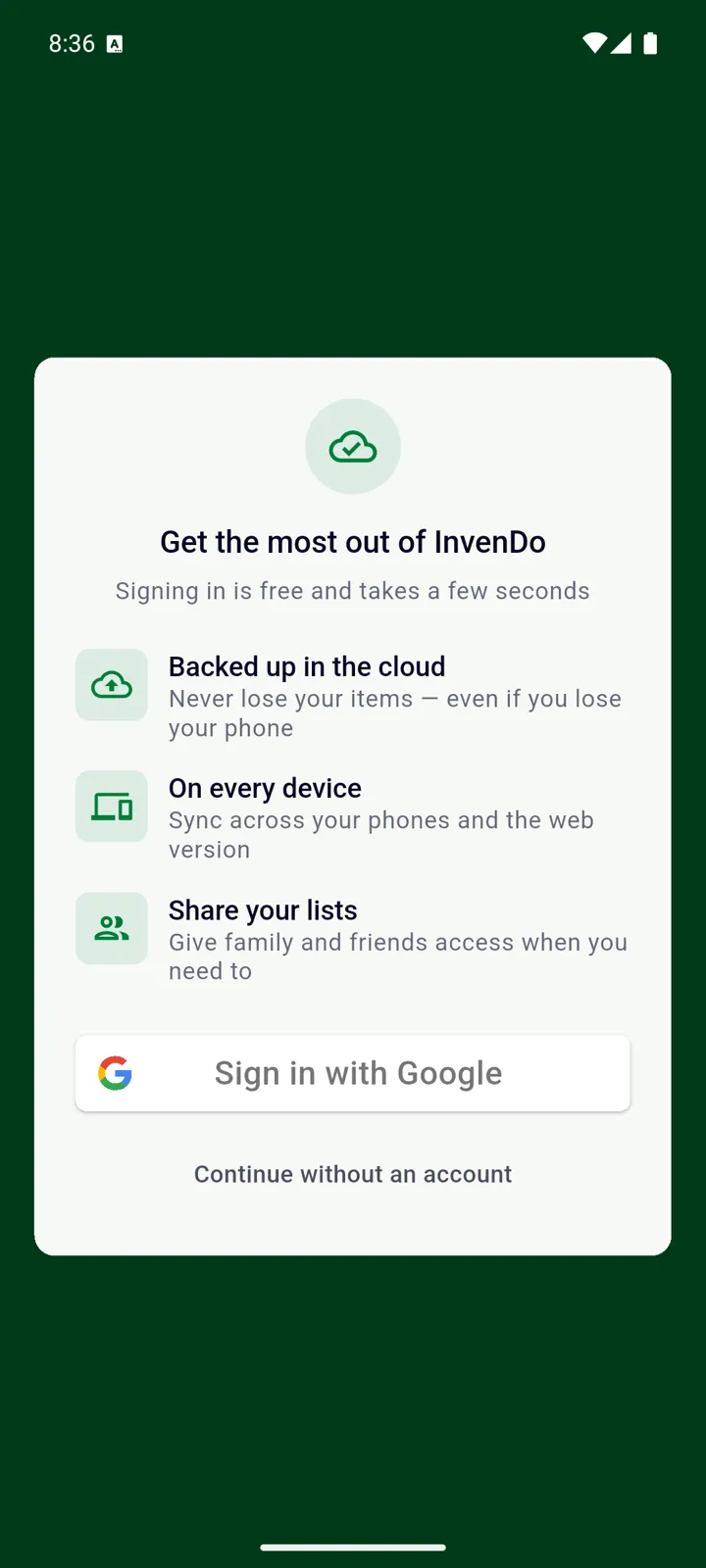
Signing in is free and takes a few seconds. You don’t need Premium for an account — see Free vs Premium for what Premium adds.
Using InvenDo without an account
Section titled “Using InvenDo without an account”Without an account your items live under an anonymous identity that only this installation of the app knows. Everything works — except:
- Nothing can bring them back if you uninstall the app, clear its data, or lose the phone.
- You can’t share lists, and nobody can share one with you.
- The web version isn’t available, and settings don’t sync anywhere.
You can add an account at any time, and your items come along.
Adding an account later
Section titled “Adding an account later”-
Open the menu ☰ and tap Log in (it appears where Log out normally is).
-
Choose your Google account. InvenDo confirms: Your data is now linked to …
Linking is Google-only: the option to use InvenDo without an account exists only on Android, where Apple sign-in isn’t offered.
Several devices
Section titled “Several devices”Sign in with the same account on each device and everything is the same everywhere: your lists, items, catalog, categories, storage places, stores, units and who you share with. Changes show up on the other devices within seconds while they’re online; if a device is offline, it keeps working and sends its changes as soon as it’s back.
Preferences travel with you too — theme, currency, calendar style, reminder settings, barcode lookup and Excel columns. Two things are remembered per device: which list you were last looking at, and how the list is displayed (categories or storage places open, search field shown).
Which account you’re signed in with is shown at the bottom of the menu ☰.
Logging out and switching accounts
Section titled “Logging out and switching accounts”Open the menu ☰ and tap Log out. Nothing is deleted — sign in again and everything comes back from the cloud. To use a different account, log out and sign in with the other one. Reminders stop while you’re logged out.
Without an account there’s no Log out — the only way onward is Log in, described above.
The web version
Section titled “The web version”web.invendo.app uses the same Google or Apple sign-in and needs an active Premium subscription; without one you’ll see We couldn’t find an active subscription for your account and a pointer back to the mobile app. Using InvenDo without an account isn’t possible in the browser. See InvenDo on the web.
Deleting your account
Section titled “Deleting your account”This removes your account and everything in it — every list you own, all items and photos — and it can’t be undone. People you’ve shared lists with lose access to them; lists other people shared with you are unaffected.
-
Open the menu ☰ → Settings → General and scroll to Delete Account.
-
Read the warning and confirm. InvenDo asks you to sign in once more with the same Google or Apple account, to be sure it’s you.
-
Your data is deleted and you’re returned to the sign-in screen.